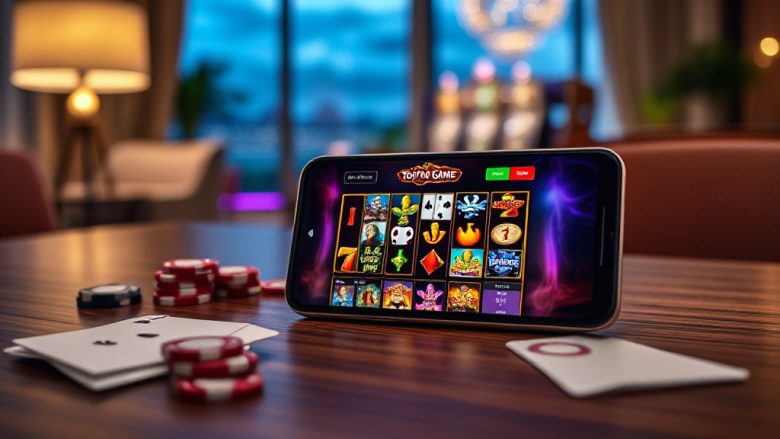
TopOne Game on Android First, Then Every Other Platform Compared
For most players who search for no one fun and land on TopOne Game, Android is the primary path. The app is built around the mobile experience, the APK download is the fastest route in, and the majority of the platform’s slots, Teen Patti tables and live casino rooms feel designed for a phone held in two hands. That is why this piece starts with a full Android walkthrough, from download to first bonus claim, and only then steps back to compare what the same account looks like on iOS, desktop browser and tablet. If you only have five minutes, read the Android section and you will be playing. If you want the whole picture before committing, the later sections cover the alternatives in detail.
Android Setup: The Main Path for TopOne Game
Android is where TopOne Game puts most of its effort, and it shows. The APK download route means you are not waiting on a store listing, and the install takes less than a minute on a reasonably modern phone. Here is the sequence that works.
First, open the official TopOne Game site on your Android browser. You will see the download prompt for the APK. Tap it and confirm the download. Android will warn you that the file comes from outside the Play Store, which is normal for a direct-download gaming app. You need to allow installation from your browser or file manager in the security settings. This is a one-time toggle, and you can switch it back afterward if you prefer.
Once the APK finishes downloading, open it from your notifications shade or your Downloads folder. The installer will show the permissions the app needs, mostly storage and network access so that game assets and live dealer streams can load. Accept, wait for the install bar to finish, and the TopOne icon appears on your home screen.
Now for the login. If you already have an account, enter your credentials and you are in. If you are new, registration is a short form: a username, a password, and whatever contact detail the platform asks for at signup. After that, the first thing worth doing is finding the bonus section. TopOne Game runs welcome offers and ongoing promotions, and claiming them before your first deposit usually gives you more playtime for the same money. The bonus area is clearly labeled in the app menu, and the Telegram support channel is there if a claim does not land where you expect.
Inside the app, the layout is built for thumbs. Slots sit at the top of the lobby, Teen Patti and other card games have their own tab, and live casino tables are one tap further in. Streaming quality on a decent Wi-Fi or 4G connection is smooth, and the app remembers your recent games so you can jump back into a slot or table without hunting through menus. For most people, this is the version of top one that they will use every day.
A few practical Android notes. Keep the app updated by re-downloading the latest APK when the site prompts you, because older builds can fail on newer game modules. If you use a phone with aggressive battery management, add TopOne Game to the exceptions list so live dealer streams do not get killed in the background. And if you ever need to reinstall, your account lives on the server, not the handset, so nothing is lost as long as you remember your login.
iOS: The Same Account, a Different Route In
iPhone and iPad users do not get the APK path. Apple’s rules push gambling apps through different channels, and TopOne Game handles iOS players through the mobile browser experience rather than a sideloaded file. In practice, you open the site in Safari, log in with the same credentials you would use on Android, and play from the browser. The lobby is responsive, the slots and card games load, and the live casino tables stream without needing a separate install.
The trade-off is small but real. You lose the home-screen icon and the app’s faster asset caching, so the first load of a heavy slot can take a few seconds longer. On the other hand, you gain automatic updates, because the browser always pulls the current version of the site. For casual sessions, iOS browser play is perfectly comfortable. For long live dealer sessions, some players prefer to keep a charger nearby because Safari streaming is more battery-hungry than the Android app.
If you are switching between an Android phone and an iPhone, your balance, bonus progress and game history follow the account, not the device. That consistency is one of the quieter strengths of the platform, and it means the top one game you were playing on Android is waiting for you on iOS with the same state.
Desktop Browser: The Big-Screen Option
Desktop is the least talked-about way to play TopOne Game, but it has a clear use case. On a laptop or desktop browser, the lobby expands into a wide grid, live dealer tables get more screen real estate, and you can run a slot in one tab while keeping the Telegram support channel open in another. There is no download and no install permission to manage. You log in through the site and play.
The desktop experience is not a separate product. It is the same account, the same bonuses and the same games, rendered for a larger viewport. Slots that feel cramped on a phone open up on a monitor, and Teen Patti tables are easier to read when the cards are not scaled down to a five-inch screen. The main drawback is mobility. You are tied to a desk, and the live casino streams can stutter if your connection is shared with other heavy users.
For players who treat gaming as an evening session rather than a commute activity, desktop is a solid companion to the Android app. Use Android for quick sessions and desktop for longer ones, and the account stays in sync throughout.
Tablet: The Middle Ground Worth Trying
Tablets sit between the phone and the desktop, and TopOne Game handles them well. On an Android tablet, you can install the same APK and get a layout that uses the extra width. On an iPad, you get the browser experience with more room for the live dealer video and the bet controls. Either way, the tablet is arguably the best device for card games, because Teen Patti and similar tables benefit from larger cards and clearer chip stacks.
The tablet also solves one of the phone’s small annoyances: accidental taps. On a phone, a thumb slip can change your bet or close a table. On a tablet, the controls are spaced out enough that this rarely happens. If you play mostly card games and live tables rather than quick slots, a tablet may end up being your preferred device, even though Android phones remain the most common entry point.
Battery life on tablets is generally better than on phones during long sessions, and the larger screen makes the bonus and wallet sections easier to navigate. The only thing to watch is that some older tablets run Android versions that the current APK no longer supports, so check the site’s requirements before assuming your device is compatible.
Compatibility Summary and How to Choose
Pulling the four platforms together, the picture is straightforward. Android is the primary path: direct APK download, fastest install, home-screen icon, best asset caching, and the version most players use daily. iOS is browser-based, with the same account and games but no sideloaded app, and slightly higher battery use during live streams. Desktop browser gives you the widest layout and the easiest multitasking, ideal for long evening sessions at a desk. Tablet combines the Android install with a larger screen, and it is the most comfortable option for card games and live tables.
What does not change across platforms is the account itself. Your balance, your bonus progress, your game history and your login all live on TopOne Game’s servers, so moving from an Android phone to an iPad to a laptop is seamless. The bonuses you claim on one device are visible on the others. The Telegram support channel works the same way regardless of what you are playing on. And the 18+ gambling notice applies everywhere, because this is a real-cash platform and the rules do not bend for a bigger screen.
If you are new, start on Android. Download the APK, register, claim the welcome bonus, and spend a session in the slots and a session at a Teen Patti table to see which format suits you. Then try the same account on your laptop or tablet and notice how the experience shifts. Many players end up with a simple routine: Android for quick sessions during the day, desktop or tablet for longer ones in the evening. That is the practical answer to which platform is the best game experience for you. It is less about one device winning and more about matching the device to the session, while the account, the bonuses and the games stay exactly where you left them.